
Less paper. More calm.
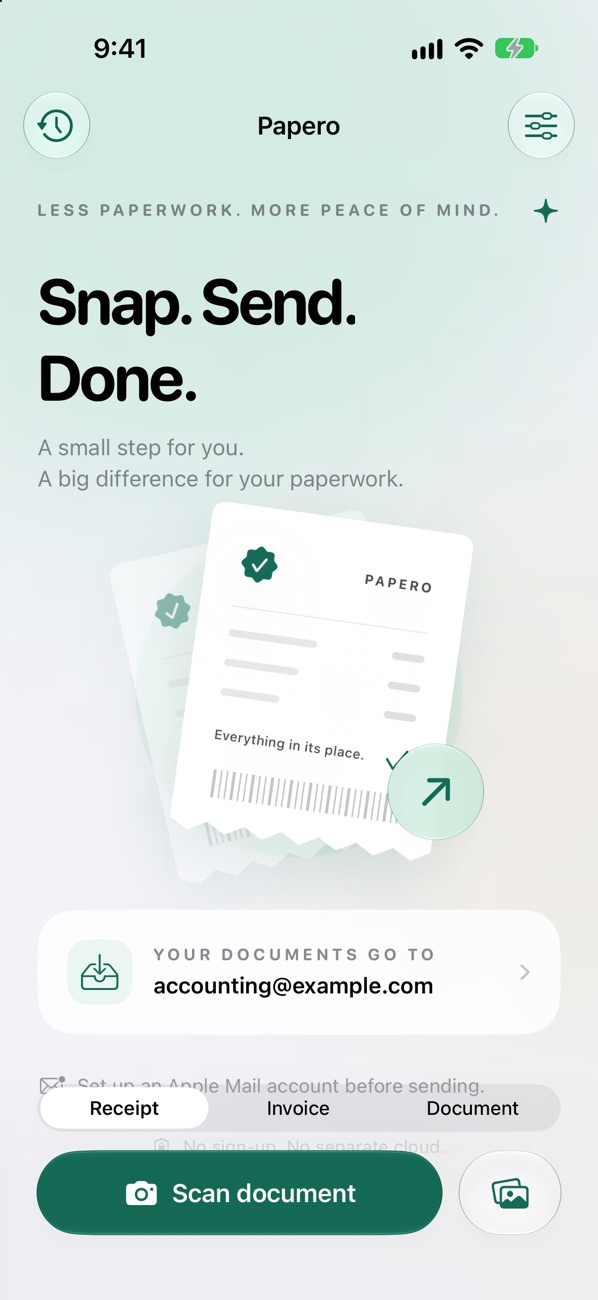
Snap a receipt or invoice and Papero sends it to the address you set. A small step for you, a lot more order in your paperwork.
From receipt to inbox in seconds
Papero uses the system scanner and Apple Mail. You only enter the destination address once.
Document scanner
The system scanner handles multiple pages at once and crops them for you.
Up to 10 photos
Pick receipts from your photo library too, up to ten at a time.
Share from Photos
Papero shows up right in the Share menu of the Photos app.
Drafts and history
Unfinished sends wait for you, and history shows what has already gone out.
Clean photos
EXIF data and location are removed before sending, and photos are resized sensibly.
Tidy up after
Delete the original photos right after sending.
No folders, no retyping.
Papero does one thing: it gets paper out of your pocket and into the inbox of whoever needs it.
- 1 · Snap
- scanner or Photos
- 2 · Send
- via Apple Mail
- 3 · Done
- delete the originals
No server. No analytics.
Receipts travel straight from your device via Apple Mail. Papero has no accounts and no cloud of its own, and strips location and metadata before sending.
Requirements
- iPhone & iPad
- iOS and iPadOS 26 or later
- An account set up in Apple Mail
- Languages
- English, Czech, German and French
More apps
All apps NimboA lighter Mac. A clearer mind.
 Sleep As JoeBetter nights. Brighter days.
 DragMeterEvery hundredth counts.
 SentinelYour own AI team.
 RevisionSee changes. Build with confidence.
 Drink as JoeHydration, made fun.
NikolaYour Tesla, at hand.
Joe Baby MonitorA calmer night for both of you.
Drink as JoeHydration, made fun.
NikolaYour Tesla, at hand.
Joe Baby MonitorA calmer night for both of you.
 Learn with JoeLearning that feels like play.