

More space on your Mac. No guesswork.
Nimbo scans your Mac and clearly shows what takes up space and where it came from. It scans offline and never changes system permissions on its own.
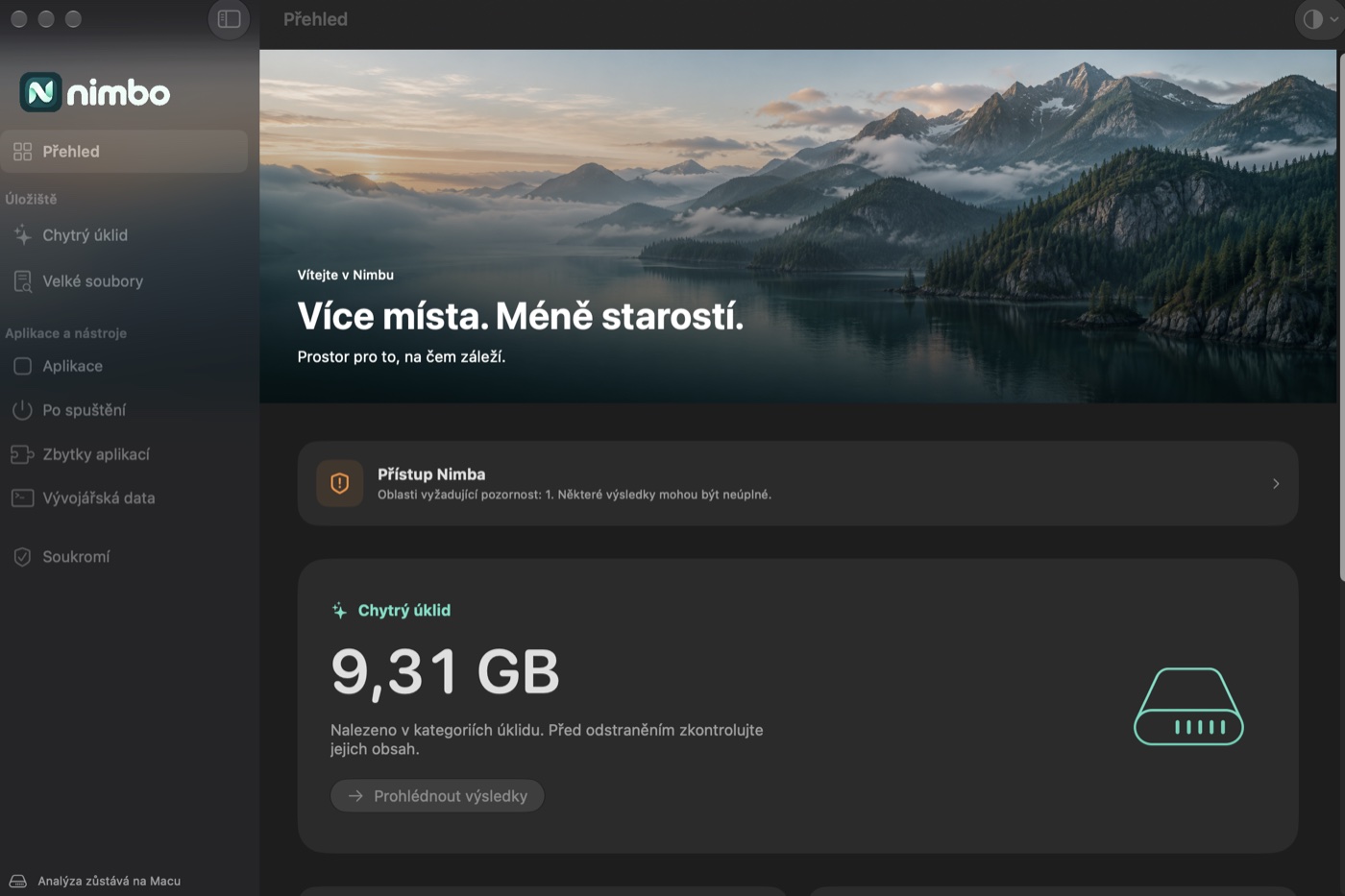
Everything that clutters your Mac, in one place
A native app for macOS 26 with Liquid Glass. Universal for Apple Silicon and Intel.
Caches and logs
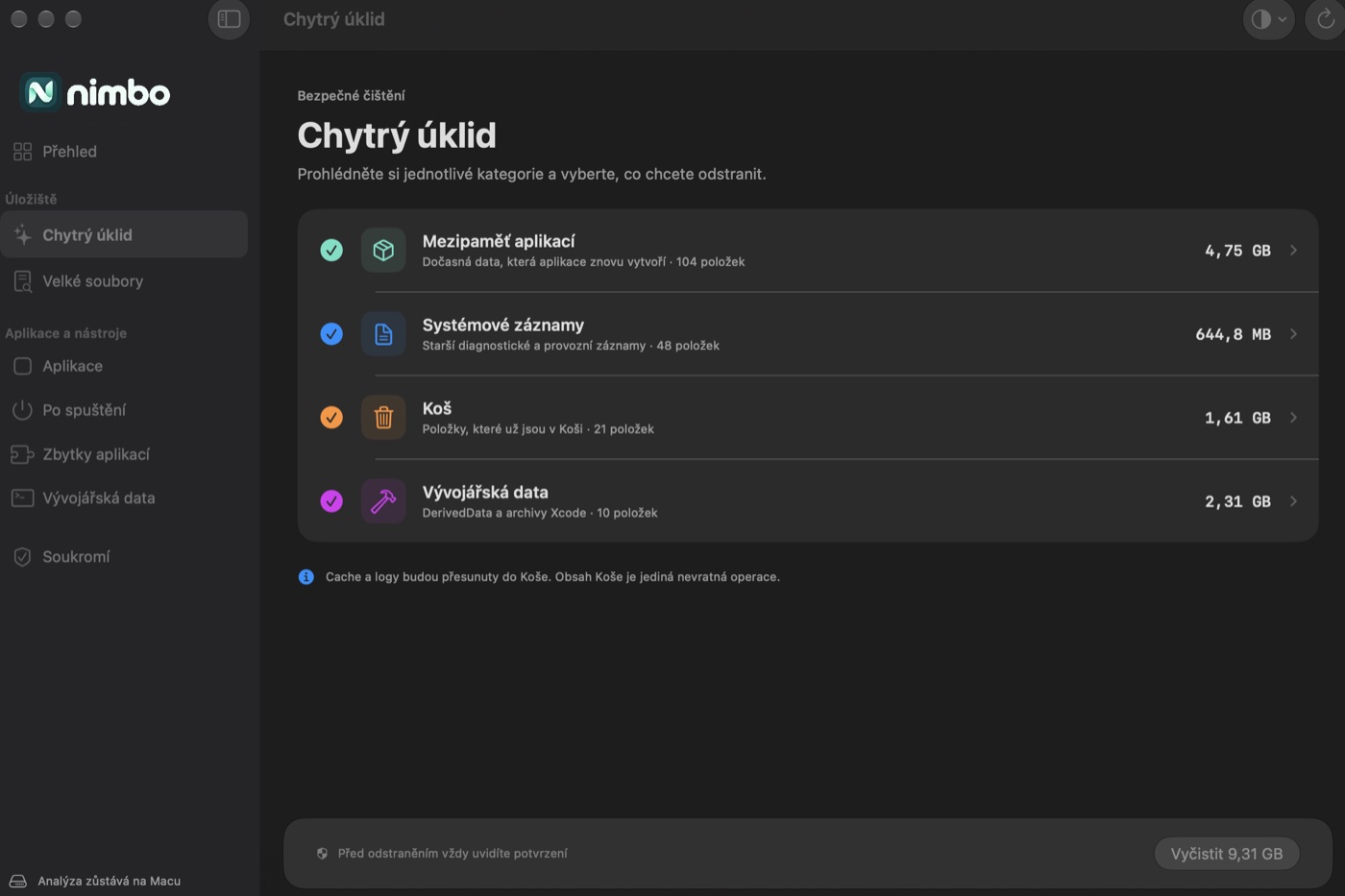
Caches, logs, the Trash and Xcode data (DerivedData, archives, simulators) with a size breakdown for every item.
Large files
Finds the files that take up the most space, wherever they are.
App uninstaller
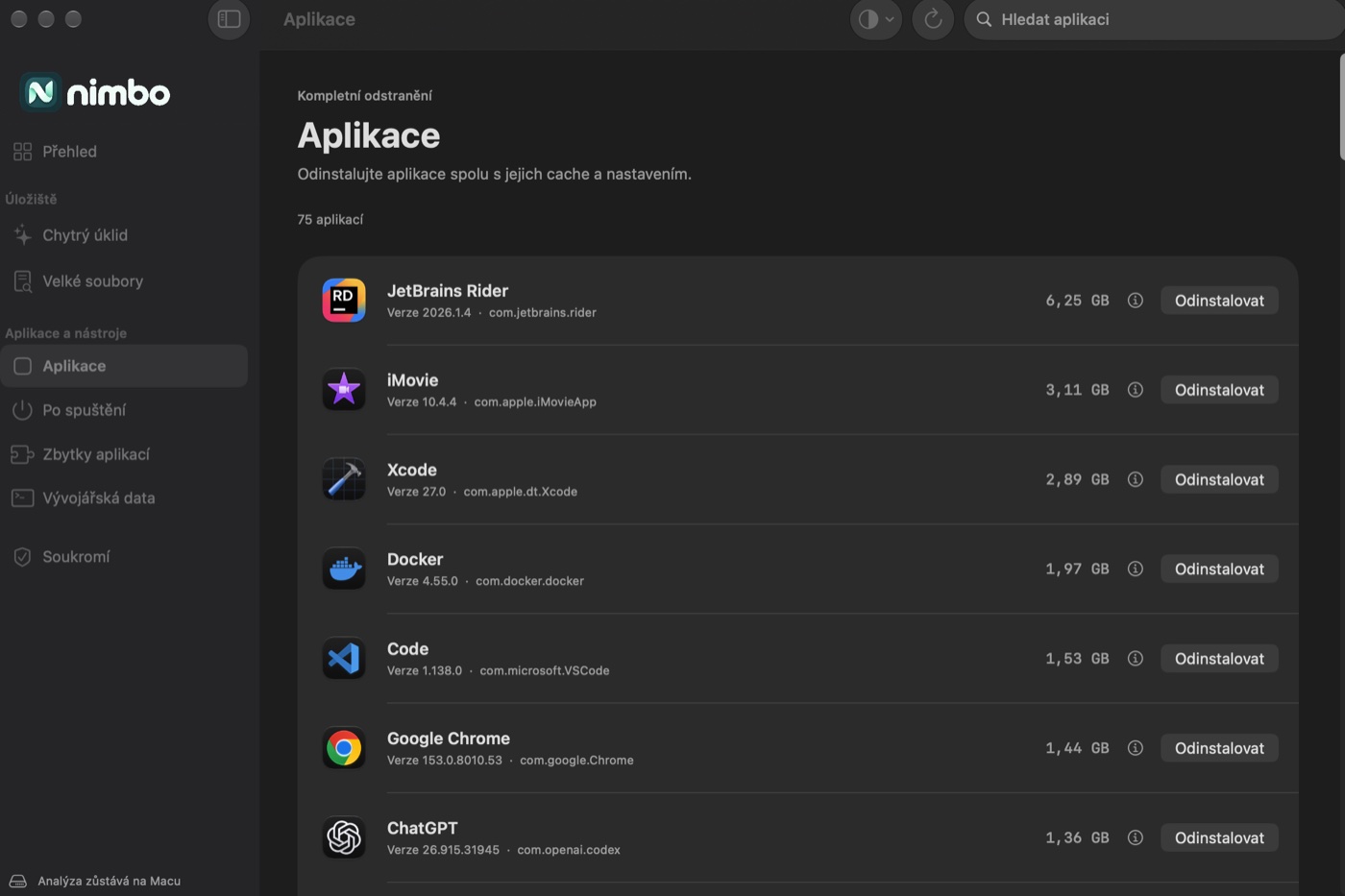
Apps sorted by size. Leftover files go too, and when macOS refuses a removal, Nimbo explains why.
Orphaned data
Finds data from apps you uninstalled long ago.
Developer tools
How much space Android SDK and emulators, Gradle, JDK, Node, npm, pnpm, Yarn and Homebrew take.
Login items
An overview of LaunchAgents and items that start when you log in.
Know what you delete.
Every item has an ⓘ button that looks it up on Google, including AI mode. Nimbo only goes online when you ask it to, or when it checks for updates.
- Interface
- SwiftUI · Liquid Glass
- Signing
- Developer ID and notarization
- Updates
- Sparkle from GitHub Releases
Scans offline.
Nimbo has no account and no analytics. It opens Google or GitHub only when you ask, and never changes system permissions on its own.
Requirements
- macOS
- 26 Tahoe or later
- Processor
- Apple Silicon & Intel
- Signing
- Developer ID and notarization
- Language
- Czech
- Distribution
- GitHub Releases
Since version 1.6 Nimbo is signed with an Apple Developer ID and notarized, so macOS no longer asks you to allow it by hand. Updates arrive through Sparkle.
More apps
All apps Sleep As JoeBetter nights. Brighter days.
 PaperoSnap. Send. Done.
 DragMeterEvery hundredth counts.
 SentinelYour own AI team.
 RevisionSee changes. Build with confidence.
 Drink as JoeHydration, made fun.
NikolaYour Tesla, at hand.
Joe Baby MonitorA calmer night for both of you.
Drink as JoeHydration, made fun.
NikolaYour Tesla, at hand.
Joe Baby MonitorA calmer night for both of you.
 Learn with JoeLearning that feels like play.